
Prescription Labels, Medication Guides & Patient Information
Tap any product to see current Amazon prices


As an Amazon Associate, we earn from qualifying purchases
Updated 2025 - HIPAA-compliant pharmacy printing
For prescription labels, the Zebra ZD421 thermal label printer is the pharmacy industry standard. For patient information sheets and medication guides, the HP LaserJet Pro MFP 4101fdw provides fast, reliable document printing with HIPAA-compliant security features.
View Label PrinterDirect thermal label printer for Rx labels
Affordable network label printer
Secure laser for patient documents
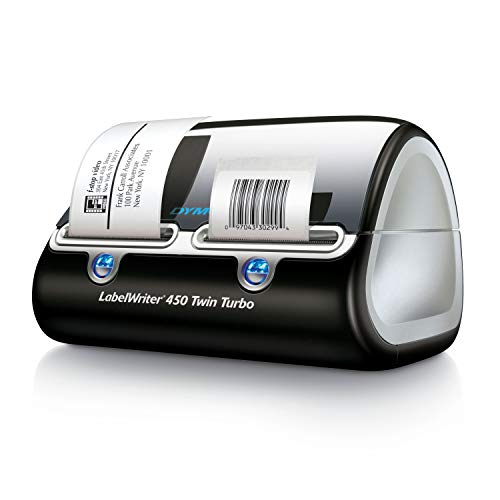
Clear, durable labels that resist moisture and handling. Must include patient name, drug info, dosage, and scannable barcodes for verification.
FDA-required patient information for certain medications. Often multi-page documents that must be printed with each prescription.
Warning stickers like "Take with food," "May cause drowsiness," and "Refrigerate." Color-coded for quick identification.
Patient health information requires secure printing with access controls, audit logs, and encrypted transmission.
Major pharmacy management systems support direct printing to Zebra, Brother, and network document printers:
Direct Zebra integration, label templates, medication guide printing
Enterprise label printing, barcode verification, compliance docs
Rx label printing, patient profiles, auxiliary label support
Integrated label printing, patient education, workflow automation
Standard prescription labels are 2.5" x 4" or 3" x 5". Auxiliary labels are typically 1" x 2" or smaller. Most pharmacy software supports customizable label sizes to fit your vial and bottle inventory.
Direct thermal is the industry standard for Rx labels. They're water-resistant, fast to print, and have no ink to replace. Laser printers are used for document printing (medication guides, patient info) but not labels.
Average independent pharmacy: 100-300 labels/day. Busy retail pharmacy: 500-1,000+ labels/day. Ensure your label printer can handle at least 3x your peak volume for reliability.
Yes. Label printers use thermal technology and specific label stock. Document printers (laser or inkjet) handle medication guides, patient info sheets, and internal paperwork. Most pharmacies have at least one of each.
Reliable, compliant printing for prescriptions and patient care
View Top Label PrinterHand-picked recommendations from the TestMyPrinter team
Reliable USB connection for quick setup
Shop Cables →Easy-setup printers for any OS
Compare Printers →Stock up on ink after setup
Shop Ink →As an Amazon Associate, we earn from qualifying purchases. Prices and availability subject to change.