Best Printer for Veterinarians 2026: Vet Clinic Guide
Printers for pet records, prescription labels, discharge instructions, and veterinary practice management.
Quick Answer: Best Printers for Vet Clinics 2026
Records & invoices: Brother HL-L5200DW ($200) - fast, reliable mono laser. Rx labels: Brother QL-820NWB ($200) - integrates with vet software. Client handouts: HP OfficeJet Pro 9015e ($230) - color all-in-one with low running costs.
Top 3 Picks for 2026
Tap any product to see current Amazon prices

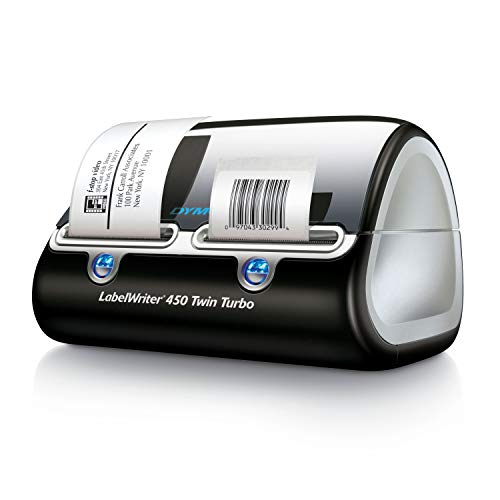
DYMO LabelWriter 450 Turbo

Rollo USB Shipping Label Printer

DYMO LabelWriter 4XL
As an Amazon Associate, we earn from qualifying purchases
Table of Contents
Best Printers for Patient Records & Invoices
Vet clinics print thousands of pages monthly: medical records, treatment plans, invoices, and surgical consent forms. A reliable mono laser handles this volume efficiently.
Brother HL-L5200DW
High-volume monochrome laser
Key Features:
- 42 pages per minute
- 50,000 page monthly duty cycle
- Auto-duplex printing
- 520-sheet paper tray
- WiFi, Ethernet, USB
Best For:
- Patient records and charts
- Treatment plans
- Invoices and receipts
- Surgical consent forms
Brother MFC-L5700DW
Mono laser all-in-one
Key Features:
- Print, scan, copy, fax
- 70-sheet ADF
- Scan to email/folder
- Mobile printing support
- Legal size scanning
Best For:
- Digitizing paper records
- Faxing referrals to specialists
- Copying signed forms
- Multi-function needs
Best Prescription Label Printers
Dedicated label printers handle prescription bottles, cage cards, patient ID bands, and inventory barcodes. Integration with practice management software is essential.
Brother QL-820NWB
Professional label printer
Key Features:
- WiFi, Bluetooth, Ethernet, USB
- Two-color printing (red/black)
- 110 labels per minute
- Works standalone with LCD
- Barcode support
Best For:
- Prescription bottle labels
- Controlled substance warnings
- Cage cards
- Inventory barcodes
Vet Software Compatibility: Works with AVImark, Cornerstone, eVetPractice, Hippo Manager, and most PIMS systems via Windows/Mac drivers.
DYMO LabelWriter 450
Compact thermal label printer
Key Features:
- USB connection
- 51 labels per minute
- Wide label variety
- Compact size
- DYMO Connect software
Best For:
- Small practices
- Basic Rx labeling
- File folder labels
- Budget-conscious clinics
Prescription Label Requirements
- Required info: Pet name, owner name, drug name, strength, dosage, quantity, refills, clinic info
- Common sizes: 2.25" x 1.25" or 2" x 1" for small bottles
- Controlled substances: May require additional warnings or colored labels
- Check state regulations: Veterinary label requirements vary by state
Best for Client Handouts & Pet Photos
Color printing for client education materials, discharge instructions with diagrams, and cute pet photos makes a lasting impression.
HP OfficeJet Pro 9015e
Color inkjet all-in-one
Key Features:
- 22 ppm color printing
- Auto-duplex print/scan
- 35-sheet ADF
- HP+ for 6 months free ink
- Smart Tasks automation
Best For:
- Discharge instructions with diagrams
- Pet care handouts
- Marketing materials
- Pet adoption photos
Common Client Handout Topics
- Post-surgical care instructions
- Medication administration guides
- Dietary recommendations
- Vaccination schedules
- Parasite prevention info
- Disease information sheets
- Emergency contact cards
- Pet health certificates
Practice Management Software Compatibility
Most veterinary practice management software (PIMS) works with standard Windows/Mac printers. Here's compatibility info for popular platforms:
AVImark
- Any Windows-compatible printer
- DYMO and Brother label printers
- Zebra for wristbands
IDEXX Cornerstone
- HP and Brother recommended
- DYMO LabelWriter series
- Network printing supported
eVetPractice
- Cloud-based - any modern printer
- DYMO and Zebra for labels
- Mobile printing via cloud
Hippo Manager
- Cloud-based with local printing
- Brother label printers
- Chrome-compatible printers
Integration Tips
- Test label printer integration before purchasing in bulk labels
- Network printers (Ethernet/WiFi) work better with cloud-based systems
- Keep printer drivers updated for best compatibility
- Ask your PIMS vendor for specific printer recommendations
Frequently Asked Questions
What printer do veterinary clinics use?
Most vet clinics use a combination of printers: a monochrome laser for high-volume records and invoices (Brother HL-L5200DW), a thermal label printer for prescription labels and cage cards (DYMO LabelWriter 450), and sometimes a color inkjet for client handouts and pet photos.
What label printer is best for veterinary prescriptions?
The DYMO LabelWriter 450 and Brother QL-820NWB are popular choices. They integrate with veterinary software like AVImark, Cornerstone, and eVetPractice. Look for printers that support standard prescription label sizes and can print barcodes for inventory tracking.
Do vet clinics need special printers for x-rays?
Digital x-ray systems typically display images on monitors and store them digitally. If you need physical prints, medical-grade DICOM printers produce diagnostic-quality images, but most practices share digital images with clients via email or patient portals instead.
How many printers does a vet clinic need?
A typical small clinic needs 2-3 printers: one mono laser at the front desk for records/invoices, one label printer in the pharmacy area for prescriptions, and optionally a color printer for client materials. Larger hospitals may need multiple of each type in different departments.
Our Final Recommendation
For a complete veterinary clinic printing setup, we recommend:
- Records & invoices: Brother HL-L5200DW - fast, reliable, economical
- Prescription labels: Brother QL-820NWB - network-ready, software compatible
- Client materials: HP OfficeJet Pro 9015e - quality color, low running costs