
Teachers print more than almost any profession—worksheets, flashcards, lesson plans, certificates, bulletin board materials, and parent communications pile up fast. According to education surveys, the average teacher prints 500-1,000+ pages per month, often paying for ink out of their own pocket.
The wrong printer choice can cost you hundreds of dollars each year in expensive ink cartridges. The right choice? It saves money, reduces stress, and gives you more time to focus on what matters—your students. After testing 20+ printers with actual classroom materials, we've identified the best options for teachers at every budget level.

1 Why Teachers Need the Right Printer
Teaching often means printing on a scale that would shock most home users. A single unit on butterflies might require: 30 vocabulary worksheets, 30 reading comprehension sheets, 30 coloring pages, 60 flashcards, 5 anchor chart posters, and 30 parent letters. That's 185 pages for one unit—multiply that across a school year, and you're looking at thousands of pages.
The Hidden Cost of Cheap Printers
A $50 printer might seem like a bargain, but those cartridges can cost $30-60 to replace—every few weeks during heavy printing. Here's the math:
That's over $700 saved per year with the right printer choice!
What Teachers Actually Print
Worksheets
High volume, mostly B&W
Flashcards
Color, cardstock paper
Anchor Charts
Large format, vivid color
Assessments
Quick turnaround needed
Certificates
Color, special paper
Parent Letters
Professional appearance
2 What to Look for in a Teacher Printer
1. Low Cost Per Page
The #1 priority for teachers. Look for tank printers (EcoTank, MegaTank) or laser printers with high-yield toner. Aim for under $0.01 per black page and under $0.05 per color page.
2. Fast Print Speed
When you need 30 copies before the bell rings, speed matters. Look for 20+ pages per minute (ppm). Laser printers excel here with 30+ ppm capabilities.
3. Automatic Duplex Printing
Double-sided printing cuts paper costs in half and teaches students about conservation. Most modern printers include this feature—make sure yours does!
4. Wireless & Mobile Printing
Print from your laptop, tablet, or phone without cables. Essential for modern classrooms. Look for AirPrint (Apple), Google Cloud Print, and brand apps.
5. Large Paper Tray
A 250+ sheet capacity means less time reloading paper during busy print jobs. Some printers offer 500+ sheet options with additional trays.

3 Epson EcoTank ET-2850 — Best Overall for Teachers
Epson EcoTank ET-2850
The absolute champion for teachers who print high volumes. The ET-2850 includes enough ink in the box to print 4,500 black pages and 7,500 color pages—that's 1-2 years of printing for most teachers, included free!
Pros
- ✓ Incredibly low cost per page
- ✓ 2+ years of ink included
- ✓ No cartridge waste
- ✓ Great color quality for flashcards
- ✓ Easy-to-fill ink tanks
- ✓ Mobile printing support
Cons
- ✗ Slower than laser printers
- ✗ Higher upfront cost
- ✗ 100-sheet paper tray
- ✗ No fax capability
Teacher Testimonial:
"I switched from a regular HP to the EcoTank two years ago. I've printed thousands of worksheets and I'm STILL on the original ink that came with the printer. It's paid for itself ten times over." — Mrs. Rodriguez, 4th Grade Teacher
4 Brother HL-L2350DW — Best Laser for Teachers
Brother HL-L2350DW
When you need worksheets fast and don't require color, the HL-L2350DW is unbeatable. It prints 32 pages per minute—a class set of 30 worksheets in under a minute. The toner lasts for 3,000+ pages, and replacement cartridges are affordable.
Laser printers are the go-to choice for teachers who primarily print black-and-white worksheets and assessments. The HL-L2350DW's 32 ppm speed means you can print a class set during a bathroom break. The 250-sheet paper tray reduces reloading, and the auto-duplex feature saves paper costs.
Brother's reputation for reliability is well-earned—these printers run for years without issues. The toner doesn't dry out like inkjet cartridges, making it perfect for teachers who might not print during summer break.
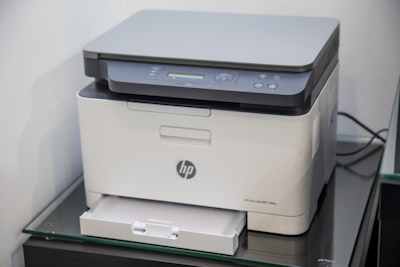
5 HP OfficeJet Pro 8025e — Best All-in-One
HP OfficeJet Pro 8025e
The perfect choice if you need an all-in-one that does everything. Print worksheets, scan student work for digital portfolios, copy permission slips, and even fax forms to the district office. HP Instant Ink subscription can reduce ink costs significantly.
HP Instant Ink for Teachers
HP's subscription service ships ink automatically before you run out. Plans start at $2.99/month for 50 pages, with rollover for unused pages. Many teachers find the 100-page plan ($4.99/month) covers classroom needs affordably.
6 Canon PIXMA TR4720 — Best Budget Option
Canon PIXMA TR4720
For teachers on a tight budget or those who print lightly, the TR4720 offers all-in-one functionality at an unbeatable price. While ink costs are higher per page, the low entry price makes it accessible for anyone.
Note: Best for light printers (under 100 pages/month). For heavy printing, the higher ink costs make EcoTank or laser printers more economical long-term.
7 More Top Picks for Teachers
Epson EcoTank ET-4850
Upgraded EcoTank with fax, 30-sheet ADF, and larger paper tray. Great for teachers who need all-in-one with low costs.
Brother MFC-L3770CDW
Color laser all-in-one with 25 ppm speed. Perfect for teachers needing fast color printing for flashcards and posters.
HP OfficeJet 250 Mobile
Portable all-in-one you can carry between home and school. Battery-powered with 10-sheet ADF.
Canon MAXIFY GX4020
MegaTank system with excellent color quality for classroom decorations. 600ml tanks last forever.

8 Inkjet vs Laser: What's Best for Teachers?
| Factor | Tank Inkjet | Laser | Cartridge Inkjet |
|---|---|---|---|
| Best For | High-volume color | High-volume B&W | Light printing |
| Color Quality | Excellent | Good | Excellent |
| Speed | 10-20 ppm | 25-40+ ppm | 10-20 ppm |
| Running Cost | Very Low | Low | High |
| Upfront Cost | $200-500 | $150-400 | $50-150 |
Choose Tank Inkjet (EcoTank) If:
- ✓ You print color flashcards/activities
- ✓ You print 200+ pages monthly
- ✓ You want lowest running costs
- ✓ You hate buying cartridges
Choose Laser If:
- ✓ You print mostly worksheets (B&W)
- ✓ Speed is a priority
- ✓ You don't print during summers
- ✓ Sharp text matters most
9 Real Cost Comparison for Teachers
Let's run the numbers based on typical teacher printing: 300 pages per month, 70% black and 30% color, over 3 school years:
| Printer | Printer Cost | Ink/Toner (3 yrs) | Total 3-Year Cost |
|---|---|---|---|
| Epson EcoTank ET-2850 | $249 | $45 | $294 |
| Brother HL-L2350DW | $150 | $180 | $330 |
| HP OfficeJet Pro 8025e | $179 | $540 | $719 |
| Cheap Cartridge Inkjet | $79 | $1,620 | $1,699 |
The Bottom Line:
The "cheap" $79 printer costs $1,405 MORE over 3 years than the EcoTank. That money could buy classroom supplies, teacher treats, or a nice vacation!
10 Teacher Discounts & Deals
HP Education Store
Up to 40% off for verified educators. Visit hp.com/education for special pricing on printers and supplies.
Epson Store for Education
Special pricing on EcoTank printers for teachers. Often includes extra ink bundles with purchase.
Amazon Prime Day
July and October sales often have 20-30% off printers. Set alerts for your target models.
Back-to-School Sales
August is historically the best time for printer deals. Retailers compete heavily for teacher and student purchases.
11 Money-Saving Printing Tips for Teachers
Print 2-Up or 4-Up
Put 2-4 pages on one sheet for flashcards, vocabulary lists, and reference materials students keep at their desks.
Use Draft Mode
For practice worksheets, draft mode uses 50% less ink and still looks fine. Save high-quality for parent communications.
Always Print Duplex
Double-sided printing cuts paper costs in half. Make it your default setting!
Remove Backgrounds
TPT resources often have decorative backgrounds that waste ink. Use "print in grayscale" or edit to remove them.
12 Frequently Asked Questions
Can I claim my printer on my taxes as a teacher? ▼
Is it worth getting a color printer for teaching? ▼
Will EcoTank ink dry out over summer break? ▼
Should I get a printer for home or use the school copier? ▼
Ready to Stop Wasting Money on Ink?
Choose the printer that respects your budget